The Generation Multiplier
The Inventory of Clarity
In our first few articles, we established that project management is fundamentally about stripping away ambiguity. We build plans, run meetings, and track progress to create a shared understanding of reality for a group of people trying to deliver something that doesn’t yet exist.
This shared understanding is built on an inventory of clarity: the reports, logs, updates, risk registers, and diagrams that keep a project aligned.
Traditionally, the volume and quality of this inventory were limited by one constraint above all others: the hours a project manager could spend at a keyboard. You had to choose between being in the room with your team or being at your desk drafting the report about the room you’d just left. Every hour spent producing clarity was an hour not spent creating it.
This is where Pillar 2: Generate changes the equation entirely.
The real opportunity is in an abundance of tools, input modes, and output formats that lets a single project manager produce the volume and variety of clarity that previously required a whole team. That’s what we mean by the PMO of One - not just working faster, but operating at a different scale entirely.
What Opens Up
The range of outputs now available to a PM - without specialist skills or additional headcount - is worth pausing on.
Status reports and executive summaries drafted from raw notes. Risk registers structured from a conversation transcript. Change request documentation assembled from an email thread. Lessons learned reports synthesised from retrospective sessions. Work breakdown structures generated from a project brief. User stories from a rough feature description.
Beyond documents: professional flowcharts and process maps from a plain-language description. Presentation decks with narrative structure from a set of bullet points. Stakeholder updates tailored to different audiences - board, sponsor, team - from a single source of truth. Meeting summaries with action items, owners, and due dates, produced in minutes from a recording or transcript.
For a long time, I was only using AI for one or two of these. The shift happened when I started treating it as a full toolkit - and when I realised that the input didn’t always have to be me typing.
The Input Revolution: You Don’t Have to Start from a Blank Page
This is arguably the most important part of the Generate pillar - and the part that changes the most about a PM’s daily rhythm.
The question isn’t just “what can AI produce?” It’s “what can I feed it, and from where?”
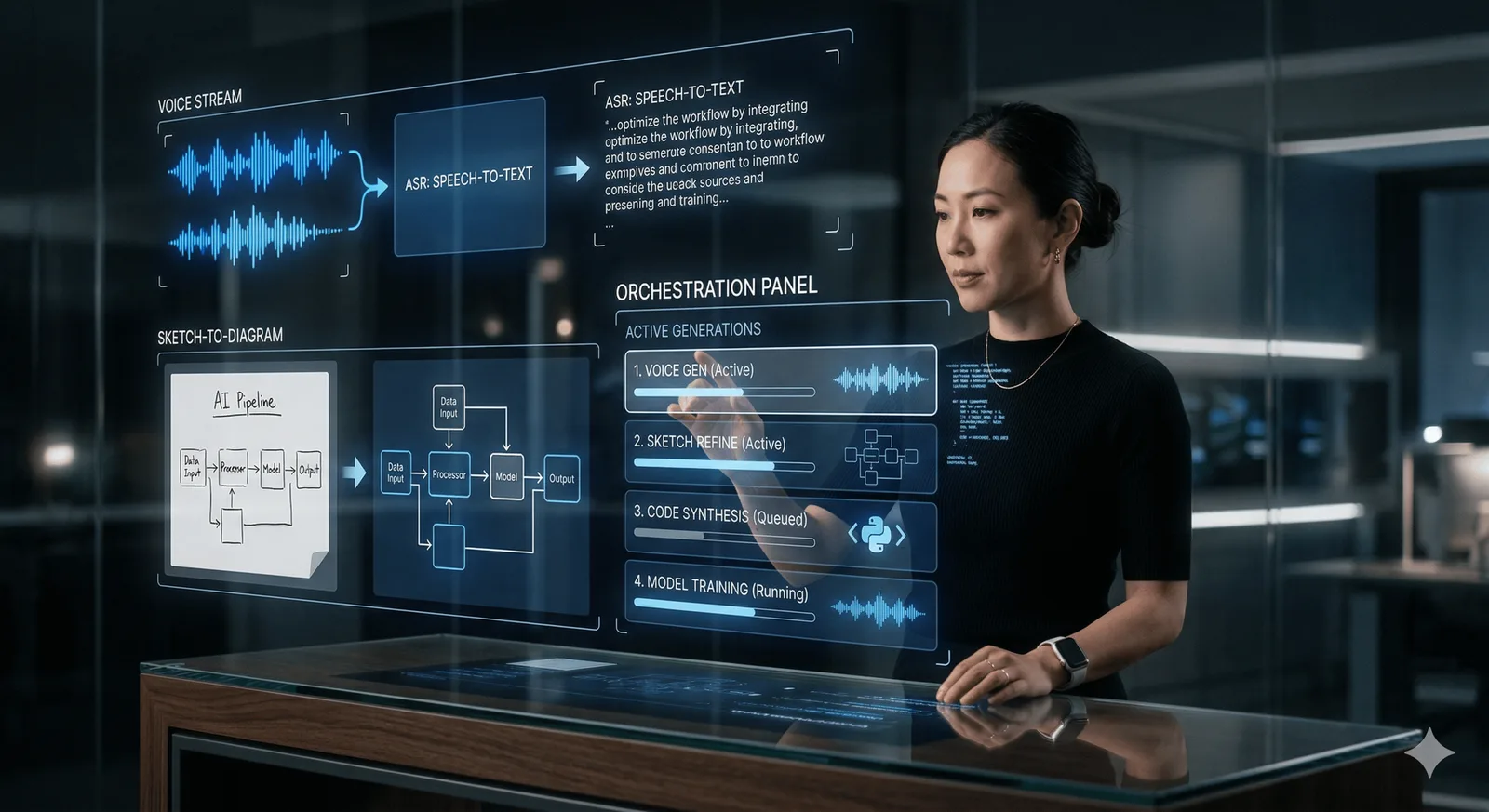
Voice Input
You’ve just walked out of a difficult scope-change conversation. You have fifteen minutes before your next meeting. Instead of opening a blank document, you open your AI tool and speak: “Quick debrief - we just had a scope change discussion. The client wants to add three new reporting modules. The team pushed back on the timeline. We agreed to a two-week analysis before deciding anything. I need to capture this as a change request and send a brief summary to the sponsor.”
You arrive at your next meeting with a draft change request and a summary email waiting for your review. You typed nothing.
Most AI tools - Claude, ChatGPT, Gemini - now accept voice input natively on mobile. This alone transforms the commute, the walk between meetings, and the five minutes in the car park after a difficult site visit.
Image and Document Input
Your risk workshop produced a whiteboard covered in sticky notes. Photograph it. Upload it. Ask the AI to structure what it sees into a risk register with likelihood, impact, and owner columns.
You’ve received a 40-page contract with proposed scope changes. Upload it. Ask the AI to summarise the key obligations, flag ambiguities against your current project scope, and draft the questions you need to raise with the client.
The ability to use images and documents as inputs - not just text you’ve typed - is one of the most underused capabilities in a PM’s toolkit. Modern general-purpose tools like Claude and ChatGPT handle both. Google’s NotebookLM goes further, letting you upload your entire project document library and then ask questions of it - more on that in a future article.
Meeting Transcripts and Recordings
Whether using separate meeting tools, or the native AI features in Microsoft Teams and Google Meet, you can transcribe your meetings automatically. But the real value comes in what you do with those transcripts next.
Paste a forty-minute transcript into an AI tool and ask it to produce: a structured summary, a list of decisions made, an action item log with owners, and a draft follow-up email to attendees. In five minutes, you have what would have taken forty-five minutes to produce manually - and it’s more complete than the notes you would have taken while also trying to run the meeting.
Spreadsheet and Data Input
Paste your budget variance table. Paste your velocity data from the last six sprints. Paste the sentiment scores from your stakeholder survey. Ask the AI to write the narrative that explains what the numbers are saying. Ask it to draft the paragraph you’ll use in your next governance report.
You’re not asking the AI to interpret the data - that’s your professional judgement. You’re asking it to translate the interpretation you’ve already formed into clear, structured language, faster than you’d type it yourself.
The Multiplier in Action: Three Real Scenarios
The multiplier effect only works when you treat “Generate” as an iterative cycle - brief, draft, refine, own - rather than a one-and-done command. Here’s what that looks like across three different PM situations.
Scenario 1: The Post-Steering Committee Sprint
The situation: You’ve just finished a two-hour steering committee. Your notes are a mix of bullet points, half-finished sentences, and one thing scrawled sideways in the margin that says “re-forecast??” Your sponsor missed the meeting and wants to be briefed before 5pm.
What you do: You paste your raw notes into Claude or ChatGPT with this prompt:
"Here are my raw notes from a two-hour steering committee. Please produce: (1) a professional follow-up email to committee members covering key decisions, actions, and owners; (2) a two-minute briefing script for my sponsor who missed the meeting - conversational tone, emphasise the wins and flag the one open issue around the budget re-forecast; (3) a clean action item table with owner, action, and due date."
What you get: Three outputs in under a minute. The email needs one tweak - you add a note about the re-forecast deadline you’d discussed verbally. The script needs the tone sharpened. You make both changes in a follow-up prompt and you’re done.
Scenario 2: The Whiteboard to Risk Register
The situation: You ran a two-hour risk workshop with your team. The whiteboard is covered in sticky notes organised into rough clusters. You photographed it at the end of the session. You now need a risk register ready for the project repository before tomorrow’s governance meeting.
What you do: Upload the photo to Claude or ChatGPT with this prompt:
"This is a photo of a risk workshop whiteboard. Please identify each distinct risk you can see, and structure them into a risk register table with the following columns: Risk ID, Risk Description, Category, Likelihood (High/Medium/Low), Impact (High/Medium/Low), Risk Owner (leave blank if not visible), and Proposed Mitigation. Where the sticky note text is unclear, use the surrounding context to infer the intent and flag it for my review."
What you get: A structured risk register draft. Some entries will need clarification - the AI will flag them. You review, correct the two it misread, assign owners, and the register is done.
Scenario 3: The Last Minute Exec Pack
The situation: Your sponsor calls at 2pm. There’s an unplanned steering committee meeting tomorrow morning. They need a project status one-pager - clean, visual, executive-level - by 9am. You have your project tracker, your last status report, and forty minutes before school pick-up.
What you do: You paste the key data from your tracker - schedule status, budget position, RAG ratings, top risks, upcoming milestones - into your AI tool with this prompt:
"Here is my current project data. I need a one-page executive status update for a steering committee audience. Structure it as: overall RAG status with a one-sentence rationale; schedule position; budget position; top three risks with mitigations; key milestones in the next 30 days; one decision required from the board. Use clear, direct language. No jargon. Assume the board has not seen this project before."
You take the output into Gamma with a follow-up prompt: “Turn this into a single-slide visual summary suitable for a steering committee presentation.”
You have a polished, steering committee-ready one-pager. You review it, adjust the risk wording on item two, and send it to your sponsor for sign-off.
The Quality Paradox
There’s one objection worth addressing directly, because most experienced operators will feel it even if they don’t say it: “But my stakeholders know my writing style. They’ll be able to tell.”
Here’s the honest answer: the issue usually isn’t that AI-generated content is recognisably artificial. The issue is that it can be generic if you brief it generically. A well-briefed AI draft - given your voice, your context, your stakeholder’s preferences, and your professional judgement in the review - will often be cleaner, more complete, and more consistent than the document you’d produce under time pressure at 6pm on a Friday.
The quality improvement isn’t magic. It’s the difference between a draft produced with full attention to structure and completeness, versus a draft produced by someone who is tired, distracted, and has three other things open on their desktop. The AI is always “fresh.” Use that.
And none of this changes the standard we established earlier in this series: every output is a draft until you’ve reviewed it. AI doesn’t know your political landscape, your sponsor’s sensitivities, or the subtext of that comment in the meeting. That’s where your experience applies. The tool provided the volume. You provided the judgement. What leaves your desk with your name on it is yours.
What Changes When You’re No Longer the Bottleneck
When you use AI as a generation multiplier, something shifts in how you operate. You stop being the manual constraint at the centre of the project - the person who has to type faster to keep up. You start becoming someone who decides what needs to be communicated, to whom, in what format, and then has the capability to actually produce it.
The PMO of One isn’t about doing the same work faster. It’s about doing work that was previously impossible for a single person to do well: tailored formats for every stakeholder, complete documentation from every meeting, professional artefacts from messy inputs, and the cognitive bandwidth left over to actually lead.
That’s the real multiplier.
If you tried one of these approaches this week - voice after a meeting, a photo of a whiteboard, raw notes into a structured output - I’d genuinely like to hear what you got back. What format have you always wanted to provide your stakeholders but never had the bandwidth to produce?
Yes, AI helped me to write this :)