Agentic User Experience (AUX): What It Means for Project Tools
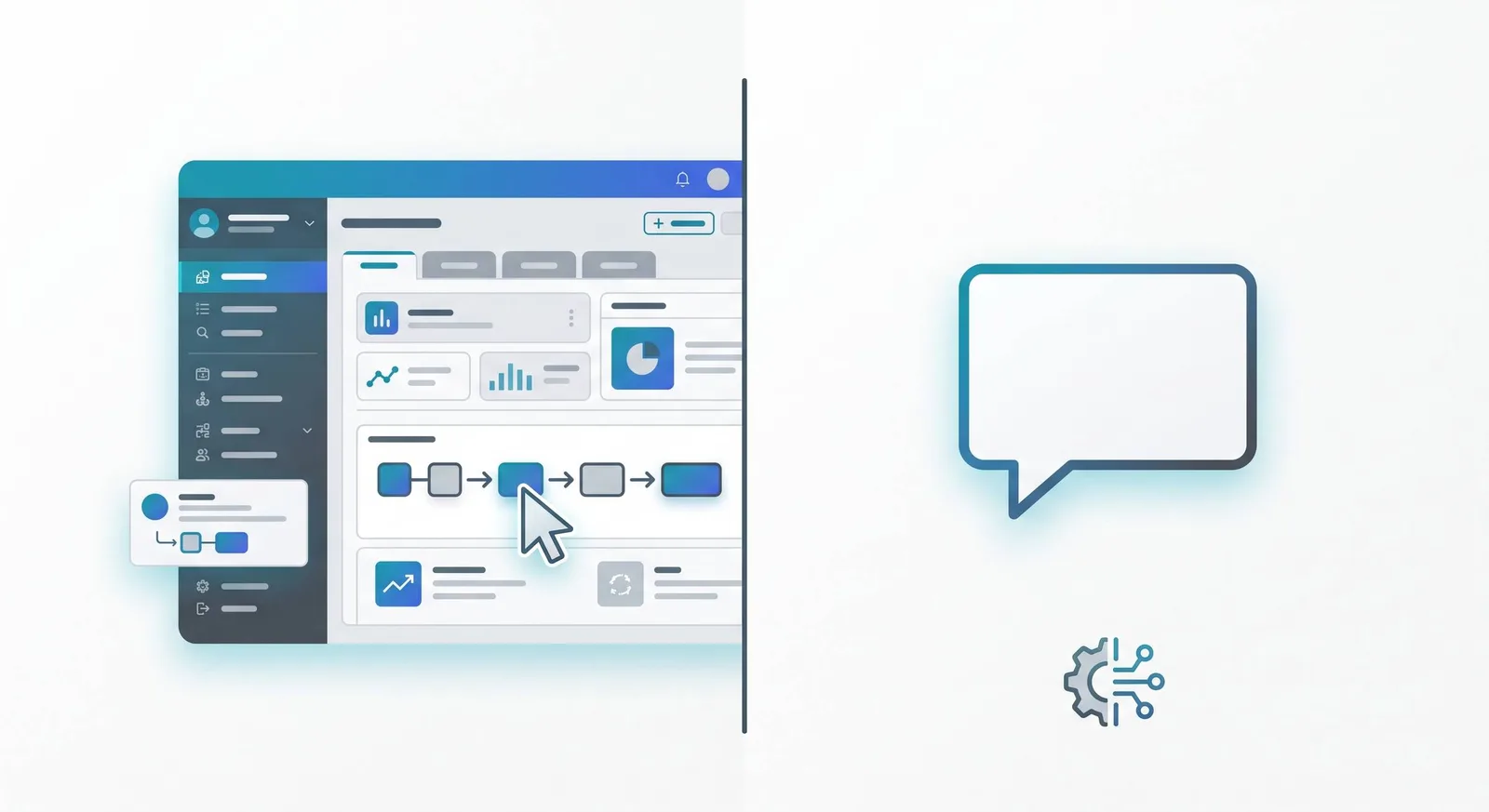
Agentic user experience (AUX) is the shift in interface design from “build something a human can navigate” to “build something an agent can act on”: where a person states an outcome and the system, with an agent doing the orchestration, works out the steps. For PMs, this matters because the tools your team relies on were designed entirely around the first model, and as agents become part of how project work gets done, the gap between the two starts showing up as friction, rework, and tools that quietly stop being useful.
It’s visible right now, in any tool you’ve tried to hand to an agent and found awkward.
Two Interfaces, Same Task
Picture a traditional PM tool: menus, tabs, a status dashboard, a form to update a risk register. A human opens it, navigates to the right screen, fills in fields, clicks save. The interface is designed around how a person finds their way around: visual hierarchy, click paths, where things are grouped.
Now picture an agent-oriented version of the same task. Instead of navigating to a screen, you state the outcome: “update the risk register with the new vendor delay risk, flagged as high, owner is Sarah.” The agent doesn’t need a menu. It needs to know what “done” looks like, what data it can act on, and how to confirm the action happened correctly.
Same underlying task. Completely different interface requirements. One is designed for navigation. The other is designed for intent.
Why This Comes Down to How You Ask, Not What You’re Using
It would be easy to file this under “something the tooling vendors will sort out eventually.” But the AUX gap shows up in your day-to-day long before any vendor changes anything.
Hand an agent a task described as a sequence of steps, and one of two things happens. Either the agent has to simulate clicking through screens (slow, fragile, and it breaks when the process changes), or it can’t do the task cleanly at all, and the work quietly comes back to you. Neither is the agent’s fault. The mismatch sits in the instruction, not the software.
Changing how you describe what “done” looks like, for anyone you hand a task to, agent included, closes that gap.
What “Outcome Clarity” Means for Agentic Interfaces
The core design principle behind AUX is outcome clarity: a system needs to be able to reason about whether a goal was achieved, not just whether a sequence of clicks was completed.
A human-navigation interface implicitly defines success as “the right screens were visited and the right buttons were clicked.” An agent-oriented interface needs success defined as “the risk register now contains an entry matching these criteria,” regardless of how that entry got there.
This sounds abstract, but it has a concrete test: can you describe what “done” looks like for a task without describing the steps to get there? If your answer to “is this task complete?” is a list of actions taken, you’re describing a human workflow. If your answer is a state (a register entry exists, a status changed, a document was generated), you’re describing something an agent can verify and act on.
Most PM processes were never written with this distinction in mind, because nobody needed to make it. They do now.
The Advantage of Seeing This Early
Right now, agents mostly show up as a feature bolted onto existing interfaces: a chatbot in the corner, an “ask AI” button. Hardly anyone is asking whether the instructions people write need to change.
That gap is an advantage for whoever closes it first. A PM who writes outcome-clear task briefs, status updates, and handoffs is already agent-ready, regardless of what platform those instructions eventually run through. Everyone else is still writing step-by-step task lists that only a human, or a very literal-minded agent, can follow.
That habit travels with you. When your organisation does adopt more agent-oriented tools, your task descriptions plug straight in.
Practising This on the Tasks You Already Hand Off
This takes about ten minutes and one message you’ve already sent. Here is the earlier risk register update, written twice.
As steps, it reads: Open the register, go to the risks tab, add a row for the vendor delay, set severity to high, put Sarah down as owner, and save it.
As an outcome, it reads: By end of Thursday, the risk register holds one entry for the vendor’s delayed delivery, severity high, owner Sarah, with a mitigation noted. The check that goes with it: anyone can confirm the entry by searching the register for the vendor’s name, without having watched how it got there.
If the register changes format next month, the steps version stops working, because it names tabs and rows that no longer exist. The outcome version still holds.
Now find the last instruction you gave someone else: an email, a chat message, a ticket comment. Copy it, unedited, as your Before. Write the After as the state that will be true when the work is finished, with a date on it, then add a Check naming what someone would see if they looked. If your After reads “the register is updated” or “the update has been sent”, it’s still a step with the verb in the past tense, so add what would be visible once it’s done.
Run three of your recent handoffs through the same three parts to see which of your messages already read as outcomes and which still read as steps. The Check doubles as the standard an agent’s output gets verified against, as in the second gate of the agent QA checklist. A one-page version of the frame, with more examples and what to add when the task goes to an AI agent, is at projectorpm.xyz/toolkit/outcome-brief.
Frequently Asked Questions
What is agentic user experience (AUX)? AUX is an approach to interface design built around AI agents stating and achieving outcomes, rather than humans navigating menus and screens: the system needs to verify whether a goal state was reached, not whether a sequence of clicks happened.
How is AUX different from just adding an AI chatbot to existing software? A chatbot bolted onto an existing interface still relies on that interface’s structure underneath. AUX is about the underlying interface itself being designed for outcome-based interaction: clean data structures and clear success states, independent of whether there’s a chat layer on top.
Do I need special tools to write outcome-clear instructions for an agent? No. Outcome clarity is about how you describe the task, not what software you’re using. Write “the risk register shows a high-severity vendor delay owned by Sarah” instead of a list of clicks, and it works whether the agent updates a spreadsheet, a shared doc, or a proper project tracker.
Next time you write up a task for someone else to run with, does it read as an outcome, or as a set of steps to follow?
Yes, AI helped me to write this :)